
FiveM Stuck on Loading Screen? 8 Fixes for Players, 5 for Server Owners
FiveM stuck on the loading screen, on the Rockstar launcher, on Connecting, or on a loading screen with music playing; black screen, white screen, loading never finishes. Step-by-step fixes for players (clear cache, move to SSD, disable ReShade, verify game files) and the server-side causes only the owner can fix (white loading screen, a client resource erroring at boot, the core spawning players before the world is ready).
"FiveM stuck on loading" is the most repeated question in every FiveM community. Same symptom, two sides: the player's machine or the server. If everyone else joins fine, it is your machine. If everyone hangs at once, it is the server. This post covers both.
Related scripts
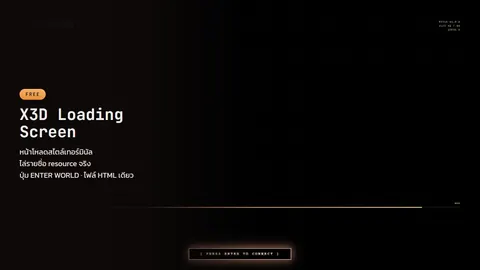 X3D Loading ScreenA terminal-style loading screen with an ENTER WORLD button the player presses before spawning. One HTML file, no build step.Free
 ESX Legacy Core — X3D BuildA faster es_extended that stops player saves going corrupt, autosaves every 10 minutes and freezes the economy before a restart. Drop-in, same resource name.Free
 X3D EnvironmentFree one-file map cleaner: no NPCs, no AI traffic, no scenarios, no idle cam, and blood, tire marks and wounds wiped away.Free
Identify the symptom first
| Symptom | Usual cause |
|---|---|
| Stuck on the loading screen, bar frozen for over 5 minutes | Assets not loading in time (slow HDD, network, slow file server) |
| White screen, nothing rendered | The server's loading screen is broken (CSS/JS failed to load), server side |
| Black screen after loading completes, never spawn | Core releases the player before data is ready, or a client resource errors, server side |
| Kicked with an error message | Read it; most say exactly what is wrong (corrupt game files, mod conflict, ban). For Streamer crashed / productId != ProductID::INVALID, see this fix; for other errors see common FiveM errors |
| Only this server hangs, others join fine | Server side, or this server's cache on your machine is corrupt |
Which screen you are stuck on tells you the cause
FiveM shows four screens before you reach the city. Each one hangs for a different reason, so check where you are stuck before fixing anything.
Stuck on the Rockstar screen (R* logo or the Rockstar Games Launcher)
You have not reached the server yet. FiveM is launching GTA V through the Rockstar Games Launcher and the launcher hangs. The problem is your Rockstar/Social Club account or the launcher itself, not the server.
- Launch GTA V normally through the launcher once, sign in until you reach the game, quit, then open FiveM
- Update the Rockstar Games Launcher; an outdated one hangs on "Loading"
- Pause your antivirus or add FiveM and the launcher to its exceptions; some block the game launch
- Still stuck: verify GTA V files, then clear the FiveM cache as in step 1 of the player section
Stuck on Connecting (or Loading data files)
You reached the server but the handshake never completes. Network or server.
- Every server hangs the same way: check status.cfx.re first. If Cfx.re is down nobody can join. If it is fine, try a phone hotspot, turn off VPN, change DNS
- Only this server hangs: it may be full, you may be in the txAdmin queue, or it is restarting. Wait 2–3 minutes and reconnect with
connect ip:portin F8 - The game closes and relaunches itself: not a bug. The server sets
sv_enforceGameBuildto a build different from the one you launched with, and FiveM restarts the game to switch. Let it finish - Server side: check that
endpoint_add_tcp/endpoint_add_udpmatch the forwarded port (default 30120), thatsv_licenseKeyhas not expired and that txAdmin is running. If you just changedsv_enforceGameBuild, tell players the game will restart once
Stuck on the loading screen with music playing
Music still playing means the loading screen (NUI) works. What hangs is behind it. Two cases.
- The bar still moves or resource names keep changing = assets are really loading. HDD or a slow file server. Wait, or clear the cache and rejoin
- The bar is full or frozen and the music loops = loading finished but nothing told the loading screen to close. Server side: if the loading screen's fxmanifest sets
loadscreen_manual_shutdown 'yes', a resource must callShutdownLoadingScreenNui()after spawn, otherwise it hangs forever. A core that spawns before the ground loads causes the same symptom (item 2 in the server section). X3D Loading Screen and ESX Legacy Core — X3D Build are paired: the ENTER WORLD button appears when the world is really ready and closes the screen itself
Freezes every few seconds after joining
Not a loading problem, a frame-rate one: an HDD that cannot stream the map, too many NPCs and AI traffic, ReShade, or a script UI eating FPS. Read FiveM UI lag, NUI eating FPS and FiveM map not loading
It worked yesterday and not today
Something updated overnight. Start with what changed: a new FiveM build (old mods in plugins/ break; remove them first), a Windows or driver update, an antivirus that quarantined FiveM files, or the server switched game build. If nothing changed on your side, clear the cache and rejoin; that fixes nearly every case
Player side: in this order
- Clear the FiveM cache: close FiveM, delete
%localappdata%\FiveM\FiveM.app\data\cacheandserver-cache(keeppriv). FiveM re-downloads the server's files. Fixes 60–70% of "only this server hangs" cases. Rather not hunt for folders? Use our FiveM cache cleaner: one double-click, key bindings kept - Disable ReShade / ENB / graphics mods first; they are the number one cause of a black screen after loading. Re-enable one at a time
- Move FiveM and GTA V to an SSD: an HDD cannot stream map and assets fast enough; servers with many MLOs and cars hang at loading or drop through the map after joining
- Verify game files: Steam: right-click GTA V › Properties › Verify integrity. Epic/Rockstar: Verify in the launcher, then launch GTA V normally once before FiveM
- Pure mode: in FiveM settings pick Pure Mode level 1 to disable everything in
mods/. If it joins, one of those mods conflicts - Network and DNS: switch DNS to 1.1.1.1 / 8.8.8.8, turn off VPN, try a phone hotspot. If that works, it is your ISP
- Close overlays: Discord overlay, MSI Afterburner, Wallpaper Engine
- Update Windows and GPU drivers: old versions break on new FiveM builds
Still stuck: send a screenshot plus CitizenFX.log (in %localappdata%\FiveM\FiveM.app\logs) to the server admin. The last resource logged before the hang is the culprit.
Server side: what players cannot fix
1. White loading screen
While CEF renders the loading screen there is no network access, and module script tags loaded from file:// hit CORS. Loading screens built with Vue/Nuxt/React that split CSS/JS into files or pull fonts from a CDN show a white screen on some machines.
Fix: the loading screen must be one HTML file with CSS/JS inlined and zero outbound requests. X3D Loading Screen (free) does that, and streams the resources as they mount so players see which one stalls instead of a fake bar.
2. Black screen after loading: the core spawns before the world is ready
Stock ESX spawns the player the moment esx:playerLoaded fires, even if collision has not loaded. Result: falling through the map, a camera in the sky, or a black screen.
Fix: the core must wait for collision. ESX Legacy Core — X3D Build (free) has Core.WaitForGround with a timeout so it can never hang, and paired with X3D Loading Screen it holds the player until ENTER WORLD is pressed and spawns them right there.
3. A client resource errors at boot
One resource erroring on the client can hang the loading screen for everyone. The player's F8 console or CitizenFX.log shows the last resource.
Common ones: upstream esx_progressbar erroring with ped nil before ESX.PlayerData exists (X3D Progress Bar guards it) · a resource that depends on es_extended but starts before it in server.cfg · a file listed in the fxmanifest files {} block that is missing, so that NUI never loads (correct manifest layout: why fxmanifest needs cerulean and lua54)
4. Slow file delivery
Streamed assets (cars, MLOs, clothing) add up to gigabytes. Without a CDN or with low bandwidth, players on ordinary connections never finish. Use fileserver_add to a CDN or a separate file host and drop assets nobody uses.
5. Too many NPCs and AI vehicles on join
The player's machine has to spawn pedestrians and traffic for the whole city on first join; low-end machines hang during SYNCHRONIZING_WORLD. X3D Environment (free) stops the game from creating NPCs and AI traffic and removes what already spawned, per module.
Admin checklist
ensure x3d_loadingscreen      # single-file loading screen, no white screen
ensure es_extended            # X3D Build: waits for ground before spawn
ensure x3d_environment        # lighter join
- Remove the old
esx_loadingscreen(singleloadscreenslot) es_extendedmust start before every resource that uses@es_extended/imports.lua- Check
server.cfgforensurelines whose folder does not exist (console printsCouldn't find resource)
FAQ
Stuck at 100%? Usually the post-load black screen (item 2) or ReShade. Disable graphics mods first; if everyone has it, tell the admin about the core.
Do I need to reinstall FiveM? Almost never. Cache clear plus game file verification fixes nearly every case; reinstalling is the last resort.
Cannot find the server in the list? Different problem: server list / Cfx.re. Check the server uses sv_master1 normally and is not hidden. connect ip:port in F8 works directly.
Every free script that helps with joining is in the free FiveM scripts post.
Related scripts
- X3D Loading ScreenA terminal-style loading screen with an ENTER WORLD button the player presses before spawning. One HTML file, no build step.Free
- ESX Legacy Core — X3D BuildA faster es_extended that stops player saves going corrupt, autosaves every 10 minutes and freezes the economy before a restart. Drop-in, same resource name.Free
- X3D EnvironmentFree one-file map cleaner: no NPCs, no AI traffic, no scenarios, no idle cam, and blood, tire marks and wounds wiped away.Free