
Replace esx_notify, esx_progressbar and esx_loadingscreen with X3D's free UI set — without touching old scripts
esx_notify has 4 positions and no Thai font, esx_progressbar cannot be cancelled, esx_loadingscreen white-screens on some machines. A side-by-side of stock ESX UI against X3D Notify, X3D Progress Bar and X3D Loading Screen (free, GPL v3), and how to switch while scripts that call the old exports keep working unchanged.
The three UI resources every ESX server runs, esx_notify, esx_progressbar and esx_loadingscreen, date from ESX Legacy in 2022 and have barely moved since. The recurring problems: non-Latin fonts render as boxes, a progress bar cannot be cancelled, and the loading screen white-screens on some players' machines.
X3D forked the first two from the ESX source (GPL v3, full source, change list on each product page) and rewrote the loading screen from scratch. All three are free. The important part: scripts that call exports['esx_notify'] or exports['esx_progressbar'] need no changes; forwarders are included.
Related scripts
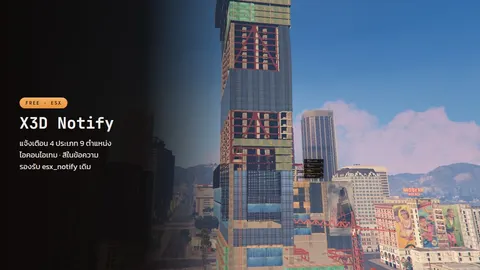 X3D NotifyNotification cards in nine positions, with item icons and rarity frames, and full Thai support.Free
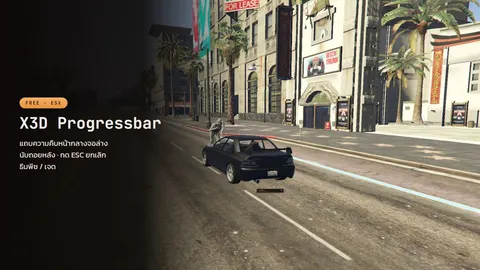 X3D Progress BarA peach-themed progress bar with ESC to cancel, a countdown, an automatic hotkey lock, and a bundled Thai font.Free
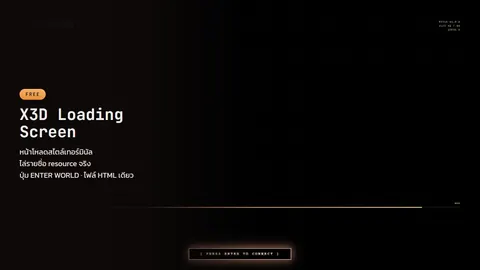 X3D Loading ScreenA terminal-style loading screen with an ENTER WORLD button the player presses before spawning. One HTML file, no build step.Free
esx_notify → X3D Notify
| esx_notify | X3D Notify | |
|---|---|---|
| Card positions | 4 | 9 (adds center, top/bottom-center, left/right-center) |
| Item icons / rarity frames | No | Yes (icon, iconBg) |
| Thai and other non-Latin text | Boxes on machines without the font | Noto Sans Thai embedded |
| Inline colours | ~r~ etc. |
Same, plus ~br~ line break |
| Runtime config | None | SetConfig(position, sound) and ClearAll() |
| UI | Original HTML/CSS/JS | Rewritten in Vue |
exports['x3d_notify']:Error('Not enough money, need ~r~$5,000~s~', 4000, 'Payment', 'top-center')
TriggerClientEvent('ESX:Notify', source, 'success', 3000, 'Item received')
Download: X3D Notify
esx_progressbar → X3D Progress Bar
| esx_progressbar | X3D Progress Bar | |
|---|---|---|
| Cancel mid-way | No, wait it out | ESC fires onCancel |
| Countdown | None | showCountdown = true |
| Block the inventory while running | Write it yourself | LocalPlayer.state.minigame state bag + x3d_progressbar:active event |
| Thai font | Boxes | Embedded |
| Theme | Fixed | Peach/jade, follows the player |
ped nil error at boot |
Possible | Guarded |
exports['x3d_progressbar']:Progressbar('Repairing...', 15000, {
    FreezePlayer = true,
    animation = { type = 'anim', dict = 'mini@repair', lib = 'fixing_a_ped' },
    onFinish = function() end,
    onCancel = function() end,
    showCountdown = true,
})
Download: X3D Progress Bar
esx_loadingscreen → X3D Loading Screen
| esx_loadingscreen | X3D Loading Screen | |
|---|---|---|
| Structure | Several files | One HTML file, CSS/JS inlined, zero outbound requests |
| White screen on some machines | Possible (CEF has no network while loading; modules from file:// hit CORS) | Does not happen |
| Load status | Animated bar | Real-time list of resources as they mount, plus phase names |
| Spawning | Automatic when loaded | ENTER WORLD button the player presses when ready |
| Images / music | Edit code | Drop bg.png–bg6.png / bg.mp4 / loop.mp3 next to the HTML |
Works with stock ESX (the button unlocks on esx:playerLoaded); with the ESX Legacy Core — X3D Build the core holds the player until the press and spawns them right there.
Download: X3D Loading Screen · Guide: docs
Switching without editing old scripts
- Remove the old
esx_notify/esx_progressbar/esx_loadingscreenfromresources/(old and new open overlapping NUIs, and there is oneloadscreenslot) - Add
x3d_notify,x3d_progressbar,x3d_loadingscreen - If old scripts call
exports['esx_notify']orexports['esx_progressbar'], moveoptional/esx_notify/andoptional/esx_progressbar/out of the zips intoresources/; each is a 12-line forwarder
ensure x3d_notify
ensure x3d_progressbar
ensure x3d_loadingscreen
ensure esx_notify          # only if old scripts call this name
ensure esx_progressbar     # only if old scripts call this name
The bag screen: X3D Inventory
Want to replace the bag screen as well? X3D Inventory (free) is an ESX Legacy inventory with big readable text, hotkeys 1–9 saved per character, and every use, give and drop checked on the server. Unlike the three above it is not a drop-in forwarder for old exports: stop your old inventory so only one runs. Details, plus the vaults and trunks that share its screen, are in a free ESX inventory set: bag, vaults and trunks.
FAQ
I use ox_lib, do I need to change? — No. These replace the stock ESX UI only. X3D Use Item and X3D Slide detect ox_lib or x3d_notify and use whichever you have.
Really free? — Yes. Notify and Progress Bar are GPL v3 like upstream ESX (copyright ESX-Framework, modifications X3D-Developer). The Loading Screen is written from scratch.
QBCore? — Notify and Progress Bar are tied to ESX (ESX:Notify, ESX.PlayerData). The Loading Screen works with any core, including standalone.
Every other free X3D script is in the free FiveM scripts post.
Related scripts
- X3D NotifyNotification cards in nine positions, with item icons and rarity frames, and full Thai support.Free
- X3D Progress BarA peach-themed progress bar with ESC to cancel, a countdown, an automatic hotkey lock, and a bundled Thai font.Free
- X3D Loading ScreenA terminal-style loading screen with an ENTER WORLD button the player presses before spawning. One HTML file, no build step.Free